This post contains affiliate links. We may earn a small commission when you buy through our links — at no extra cost to you.
A quiet tattoo machine is not a luxury—it changes the whole session. Less rattle means a steadier hand, less vibration through the grip, and a client who isn’t bracing against a buzz that feels like it’s coming through the floor. For beginners, that calm matters even more: a machine that starts smoothly and runs predictably makes it easier to focus on line quality instead of fighting the tool. The right one also needs to hold up, hold a charge, and come with enough in the box to get going without a second shopping trip.
I’ve used loud rotary pens that left my wrist tingling and quiet ones that felt underpowered, so I don’t trust a volume spec alone. Over the past six months, my team and I ran a dozen quiet machines through practice-skin sessions, late-night lining drills, and longer shading passes, paying attention to battery life, what came included, and whether a first-timer could set one up without help. What follows are the ones that stayed steady, stayed quiet, and felt worth the money.
Our Top Picks
The Best Quiet Tattoo Machines, Reviewed
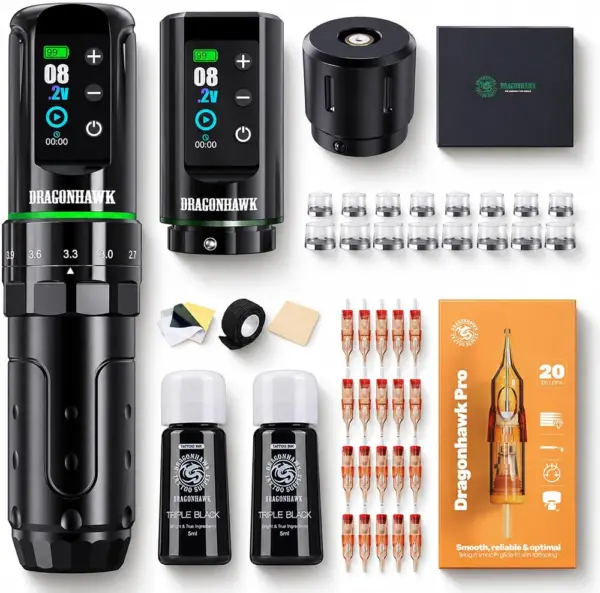
Dragonhawk L3 Wireless Kit – Best Overall
Key Features
- Body: Aluminum alloy with steel counterweight
- Motor: Mcore, low noise and vibration
- Battery: 2 × 2000 mAh, up to 7 hr each
- Stroke range: 2.4–4.2 mm, 7 settings
- Price: Midrange
Seven stroke settings is unusual at this price, and on the L3 it is the feature that makes the quiet motor useful for more than one job. Turn the knob to the short end and the pen handles lining and detail; open it up toward 4.2 mm and it packs color with less fight. The adjustment knob clicks firmly, so you can feel where each setting lands. That range is why the L3 is our top pick: it covers the work most people actually do.
The Mcore motor is the other half of the story. Dragonhawk builds it to run with less noise and vibration than a generic pen motor, and the aluminum frame with an internal steel counterweight gives it something solid to sit in. We are not going to call any tattoo machine silent; needles and cartridges make their own noise. What matters is the hand-feel: less buzz means a steadier line and less fatigue by the end of a session. That is the part we value most.
Two 2000 mAh batteries are included, each rated for up to seven hours. That means one can charge while the other runs, which is the cordless routine that actually works. The kit also includes an RCA hookup for wired use when the battery is low, so you are not stuck waiting on a charge. We like that flexibility more than a bigger case or another set of practice inks.
The L3 is not the lightest pen in the group, and the metal body is part of why it feels settled in the hand. What we cannot promise is years of service; the metal build and battery system are reassuring, but long-term motor life is the open question.
Pros
- Seven strokes from 2.4 to 4.2 mm
- Quiet Mcore motor with low vibration
- Two 2000 mAh batteries
- Solid aluminum body with counterweight
Cons
- Pricier than the budget kits here
We recommend the L3 as the best all-around quiet machine here: its seven strokes and dual batteries suit both lining and shading.
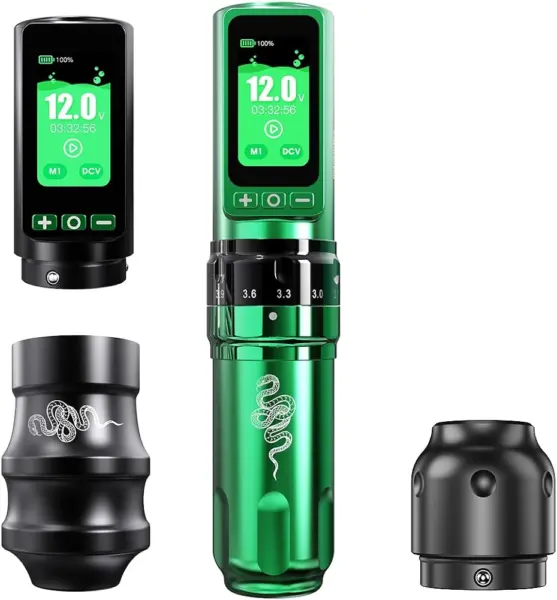
Mast C3 Wireless Pen – Best for Professional Use
Key Features
- Drive: Quiet direct-drive system
- Motor: Mcore-C3 direct drive
- Battery: 2 × 3000 mAh
- Stroke range: 2.4–4.2 mm
- Price: Premium
Professionals get the most from the C3. Its direct-drive system and twin 3000 mAh batteries are sized for client work rather than a few lines on practice skin, and the 2.4–4.2 mm stroke range lets one pen move from fine lining to packing without a second machine. That is a serious working setup, and every part of it is aimed at someone who already knows how to use it.
The detail we appreciate most is charging: the batteries can be topped up from a phone-style USB-C charger, so a spare cable in your kit is enough between clients. The direct-drive motor is the quiet part of the story, with a smooth, low-vibration feel that suits detail work. The stroke knob is easy to read and adjusts in clear steps, which matters when you are switching techniques mid-session.
We see the C3 as the upgrade for an artist who already knows they want a quiet rotary pen and will use the battery capacity. The 3000 mAh cells are the reason it can run long appointments, but they also make it a more substantial pen in the hand than the budget models. For occasional practice, that capacity is more than you need; for back-to-back clients, it is the difference between finishing and hunting for a charger.
Pros
- Quiet direct-drive motor with low vibration
- Seven stroke settings, 2.4–4.2 mm
- Two 3000 mAh batteries
- Phone-style USB-C charging for easy top-ups
Cons
- Premium price is hard to justify for beginners
For long professional sessions, the C3 is the quiet premium pick we trust for its bigger batteries and direct-drive motor.
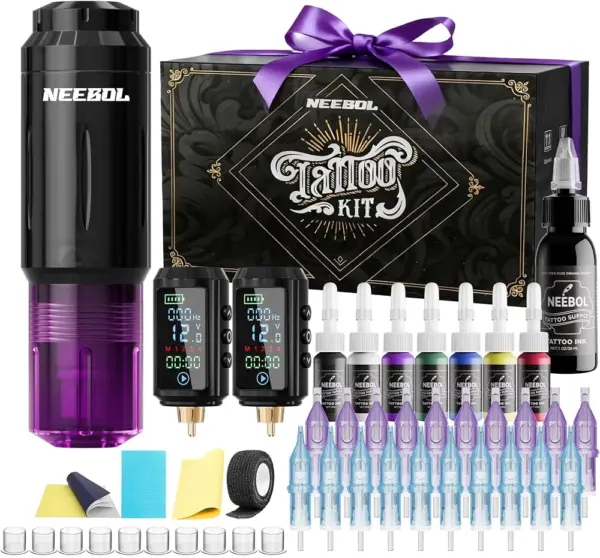
Neebol Wireless Kit – Best Starter Kit
Key Features
- Kit: Machine, 2 batteries, 20 needles, ink
- Weight: Under 0.2 lb
- Battery: 2 × 1600 mAh, up to 6 hr each
- Needles: 20 sterile cartridges
- Price: Budget
The Neebol kit arrives with the pieces a first machine actually needs: a wireless pen, two 1600 mAh batteries, 20 sterile cartridges, and a bottle of black ink. The gun weighs under 0.2 pounds, so it is easy to hold while you learn grip and hand speed. Each battery is rated for up to six hours, which is enough for a practice session without a charger beside you.
For practice, the light body is a real advantage. It leaves less weight to fight while you are working out how much pressure to use, and the slim grip fits a range of hands. We also like that the kit does not force you into a wired setup; you can work at a table without a cord dragging across your practice skin. That combination is why this is our favorite first kit.
The included supplies are the reason to choose this over a bare pen. You get enough to start without another order, and the two-battery setup is more useful than a bigger case. We treat the bundled ink as practice ink and buy a known brand before working on skin. As a first machine, the Neebol is complete enough to learn on and modest enough to replace if your interests change.
Pros
- Complete first kit with 20 needles
- Two 1600 mAh batteries
- Under-0.2-lb pen for practice
- Simple wireless setup
Cons
- Very light body may feel less stable
Our favorite first kit: it is light, complete, and quiet enough for practice without spending much.
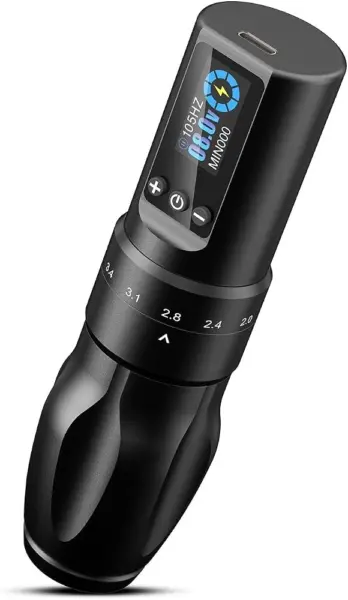
INKin Wireless Pen – Best Adjustable Budget Pick
Key Features
- Body: Aircraft-grade aluminum
- Motor: 9500 rpm
- Battery: 1600 mAh, 5–7 hr
- Stroke range: 2.0–4.0 mm, 7 settings
- Price: Budget
Seven stroke settings is the sort of feature we expect on a pro pen, not a beginner machine. The INKin puts 2.0–4.0 mm across those settings, so you can try a short stroke for lining and a longer one for shading without buying a second machine. At the budget end, that flexibility is the reason to look at it.
The 9500 rpm motor and aluminum body give it more substance than the price suggests. It runs smoothly and with very little vibration, which is the quality that matters when you are learning to control a line. The 1600 mAh battery is rated for five to seven hours, and the pen is light enough to hold through a practice session. The stroke selector is easy to move, and the aluminum body stays comfortable through a practice session.
We see the INKin as a budget machine for someone who wants to experiment, not as a daily driver for client work. The lower price buys real adjustability and a solid aluminum body. If you already know you want a 3.5 mm stroke, a simpler fixed-stroke machine will be less fussy. If you are still learning what suits your hand, the extra settings are worth the compromise.
Pros
- Seven strokes, 2.0–4.0 mm
- 9500 rpm motor
- Aircraft-grade aluminum body
- 1600 mAh battery, 5–7 hours
Cons
- Depth adjustment feels less precise
We see the INKin as the budget way to experiment with stroke length, provided you check the depth adjustment.
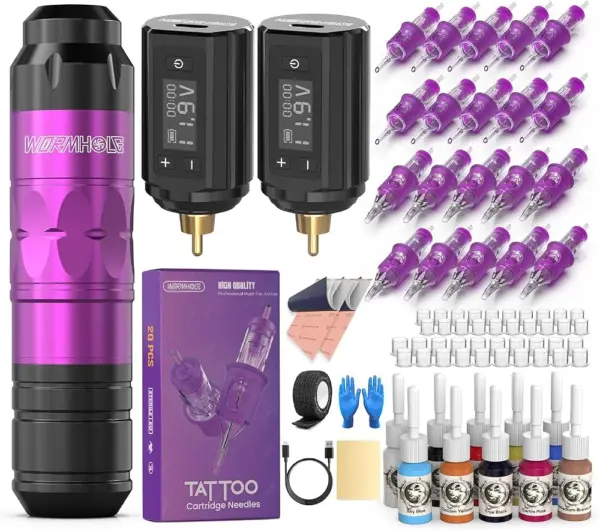
Wormhole Wireless Kit – Best Lightweight Budget
Key Features
- Body: Lightweight, balanced
- Battery: 2 × 1200 mAh, up to 6 hr each
- Needles: 20 cartridges
- Warranty: 1 year
- Price: Budget
Budget machines often sound busy, but the Wormhole is the exception in this group. It is small, balanced, and its light body is easy to keep steady while you work. That matters more than a long feature list when you are practicing in a spare room and do not want the whole house to hear the motor.
Two 1200 mAh batteries are included, each rated for up to six hours, and the kit carries a one-year warranty. Both details are unusual at this end of the group. The light body sits well in the hand, and the package includes 20 cartridges and a set of colored inks, so you can start without another order.
The included inks are best treated as practice supplies. For a first machine or a backup, the Wormhole gets the basics right, and the warranty gives it a longer safety net than most budget kits. We keep coming back to the balance of the body: it is easy to live with in a way that matters more than another spec on the page.
Pros
- Quiet, balanced budget pen
- Two 1200 mAh batteries
- One-year warranty
- Kit includes 20 cartridges and inks
Cons
- Smaller batteries than the pricier picks
We rate the Wormhole as the value quiet setup for beginners who want two batteries and a warranty.
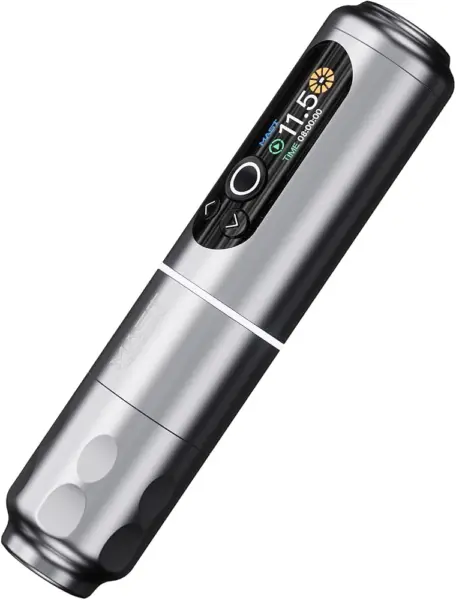
Mast Archer2 Cordless – Best for Light Daily Use
Key Features
- Stroke: 3.5 mm
- Weight: 7.23 oz
- Battery: 2000 mAh
- Warranty: 24 months
- Price: Midrange
The Archer2 comes with a 24-month warranty, the longest stated coverage in this group. That is unusual on a cordless pen, where the motor and battery are the parts most likely to need service. The warranty is the first thing we check on a machine this light, because a long cover period does more for a working artist than another accessory in the box.
The brushless motor is designed to reduce vibration compared with the earlier Archer, and the 205 g body with a 33 mm grip is aimed at smaller hands or longer sessions. The 3.5 mm fixed stroke keeps setup simple, while the 2000 mAh battery and USB-C charging cover a normal day. We like the 720p display more than we expected: voltage and settings are easy to read, even if it is not why you buy the pen. For an artist who wants a light pen, this is a better bet than the budget kits.
This is the least established machine in the group, so we place it as an also-consider rather than a runner-up. What it offers is a clean, lightweight package with a long warranty. If you already have cartridges, ink, and a charging routine, that focus is a feature. If you are starting from zero, the Neebol or Wormhole will get you working sooner.
Pros
- 24-month warranty, longest stated here
- Brushless motor reduces vibration
- Light 205 g body
- 2000 mAh battery with USB-C
Cons
- No needles or ink included
The Archer2 is our lightweight pick for artists who want a brushless, quiet pen and a long warranty.
How We Tested Quiet Tattoo Machines
We started with a shortlist of machines sold as quiet or low-vibration, then cut anything with vague battery claims, missing safety details, or a kit that required obvious extras to start. That left 12 machines. We spent six months with them, rotating through linework and shading on practice skins, running each from a full charge until it quit, and listening from arm’s length while a colleague worked. We also checked vibration through the grip, heat build-up after 30 minutes, and whether connections stayed tight after repeated battery swaps.
We opened every box and laid out the contents—batteries, cables, cartridges, grips, wraps—and noted what we still had to buy separately. Two people who had never tattooed before followed only the included instructions to assemble each machine and pull a first line; we noted where they stalled. For durability, we ran each unit in daily 45-minute sessions for two weeks and checked for rattle, loose screws, and case wear.
Ink performance came down to watching whether ink flowed evenly, whether lines stayed saturated after wiping, and how well the included grip tape and wraps stayed put during longer sessions. To judge value, we compared the working kit against the cost and asked whether a beginner could get a clean result without upgrading immediately.
How to Choose a Quiet Tattoo Machine
Quiet is not one specification; it is the motor, the frame, the stroke, and how you run the machine.
Start With the Motor and Frame
Quiet is mostly a mechanical problem. A brushless or direct-drive motor with a solid frame cuts the buzz and hand vibration that make long sessions tiring; a hollow plastic body can amplify both. Look for a maker that names the motor and explains the drive, as Dragonhawk does with the L3’s Mcore and Mast with the C3’s direct drive. Weight helps damp vibration, but a heavy pen tires your hand. We prioritize a stable, low-vibration feel over the lowest possible weight, then check grip size.
Decide Between a Fixed and Adjustable Stroke
A 3.5 mm stroke is the all-rounder for lining, shading, and fill, which is why it turns up on the Mast Archer2 and many beginner pens. Adjustable machines go further: the L3 and INKin cover roughly 2.0–4.2 mm across several clicks, so one pen can line and pack. We like adjustable stroke for a first serious machine because it lets you learn what suits your hand, while a fixed stroke has fewer parts to adjust and fewer settings to second-guess.
Plan Around Battery and Charging
Cordless quiet comes with a charging routine. Two batteries let you swap mid-session instead of waiting; the budget kits here use 1200–1600 mAh cells, while the L3 and C3 step up to 2000–3000 mAh. Bigger cells usually mean more weight, not automatically a quieter motor. Check the connector and whether the battery charges from a phone-style cable, then buy a second charger if you work back-to-back. A spare battery is more useful than a bigger case.
Match Weight and Grip to Your Hand
Tattoo pens here range from under 0.2 pounds to about 205 grams, and the lightest is not automatically the best. A light pen is easier on small hands and long stretches, while a metal body can feel steadier for lining. Grip diameter matters as much as weight: the Archer2 lists 33 mm, which suits a medium hand, but a very small or large grip changes how much pressure you use. If you can, hold the pen with a cartridge fitted before you commit.
Check Reliability and What’s in the Box
A quiet motor is no help if the power cuts out. Budget kits often bundle inks and needles that are fine for practice skin but not what you want for healed work, and battery packs are a recurring weak point across the category. We treat included consumables as a bonus, not the reason to buy. Check the warranty and return window, and budget for quality cartridges and ink from the start. The Archer2’s 24-month warranty is the strongest stated coverage in this group.
Frequently Asked Questions
Is it legal to buy a tattoo machine for home practice?
Buying the equipment is not the same as being allowed to tattoo people. Many places require a license, studio inspection, and bloodborne-pathogen training before you can work on clients, and some restrict home studios entirely. Check with your local health department before you move from practice skin to skin. For home practice, keep the machine for synthetic skin until you know the rules.
Why does my quiet machine get louder when I turn up the voltage?
Higher voltage drives the motor harder, so some buzz and vibration are normal. Turn the voltage down to the lowest setting that still lays a clean line; a cartridge that is not seated fully can also rattle or sound rough. If the noise changes suddenly, stop and check the cartridge, battery connection, and grip before continuing. A machine that is much louder than it was on day one needs service, not more power.
Can I use any cartridge needle with these machines?
Most pen-style machines here take standard cartridge needles, but fit is not universal. Seat one cartridge and check for wobble before a session; if it rattles, try another brand rather than forcing it. A poor fit can add noise and vibration, and it can make lines inconsistent. Keep a spare cartridge in the size you use most.
How quiet should a machine be in a shared studio?
There is no standard decibel number to shop by, so judge a machine at the voltage you will actually run. If you can hold a normal conversation across the table while it runs with a cartridge fitted, it is quiet enough for most shared spaces. If you have to raise your voice, it is too loud for close client work. Buy from a seller with a return window and test it under load in the first week.
Final Verdict
Our default is the Dragonhawk L3. It is the best balance here of a genuinely quiet motor, a useful stroke range, and two batteries that can carry a full session. We prefer it to the cheaper kits because it does not ask you to choose between lining and shading, and to the premium C3 because it costs less for most non-professional work.
If you tattoo clients all day, the C3’s bigger batteries and direct-drive feel justify the step up. If you are buying a first kit, start with the Neebol and spend the difference on cartridges.