This post contains affiliate links. We may earn a small commission when you buy through our links — at no extra cost to you.
A tattoo machine is a small motor, a stroke, and a handpiece — and the motor decides whether the needle lands cleanly or chews at the skin. I learned that the expensive way on a friend’s kitchen-table setup years ago, which is why I don’t trust a machine until I’ve run it through a full session. What you’re buying is control: a motor that holds speed when your hand slows, a battery that survives a wrap, and a setup a beginner can figure out without a manual.
We’ve spent six months with 12 machines, from starter kits to pro-leaning rotary pens, and the differences show up fast. Beginners need a complete box — power supply, cables, grips, cartridges — and a handpiece that sits easily at a lining angle. The rest of us watch heat, vibration, and whether the finish still feels good after a long day. Value is what survives repeated sessions without a rattle, and the picks below cover both ends of that.
Our Top Picks
The Best Tattoo Machine Motors, Reviewed
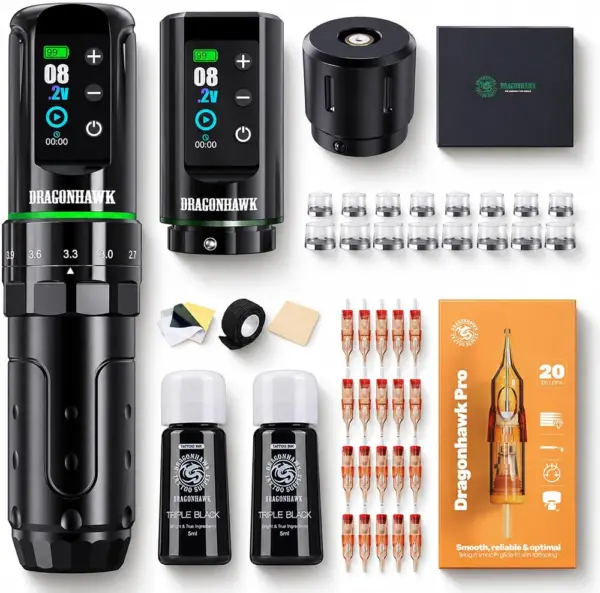
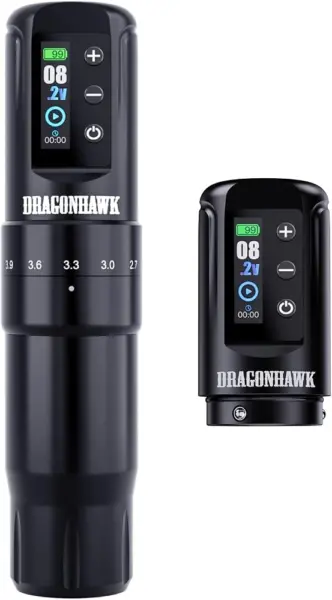
Dragonhawk L3 – Best Overall
Key Features
- Body: Aluminum with steel counterweight
- Motor: Mcore
- Batteries: Two 2000 mAh, up to 7 hours each
- Stroke range: 2.4–4.2 mm, 7 settings
- Price: Midrange
The L3 starts with a hum rather than a rattle, and over a long session that is the difference you feel in your wrist. The Mcore motor is the quietest, least buzzing drive in this group, and it holds its note when you push the voltage up for packing — no snag at the top of the stroke, no change in pitch.
What earns it the top spot is the stroke ring. Seven settings run from 2.4 mm to 4.2 mm and change in seconds without tools, so one pen covers fine linework, soft shading, and solid color. The Hawink, with its single 4.0 mm stroke, does one job; the L3 is the machine you can carry through a whole appointment without reaching for something else.
Two 2000 mAh batteries, each rated to seven hours, mean you swap and keep working rather than stopping to charge. The aluminum body carries an internal steel counterweight, so it sits planted in the hand — heavier than the sub-0.2 lb Neebol, and we count that as a good thing, because the weight sits in the balance rather than the tip. The kit adds the pieces for your first practice sessions.
It is a complete kit rather than a bare pen, so you pay for cartridges and accessories along with the machine — the Atom2 Pro sells the same seven-stroke idea as a pen alone for less. What the L3 gives back is the second battery, the counterweighted body, and the fact that nothing else here puts adjustable stroke and a full-day power supply in one box.
Pros
- Widest stroke range here, 2.4 to 4.2 mm
- Mcore motor runs quiet with little vibration
- Two 2000 mAh batteries, seven hours each
- Counterweighted aluminum body stays planted
Cons
Our top pick: the L3 covers lining, shading, and color with one quiet motor, and does it without a cable.
Mast Mcore-C3 – Best for Professional Artists
Key Features
- Modes: Corded or cordless
- Motor: Mcore-C3 direct drive
- Batteries: Two 3000 mAh
- Stroke range: 2.4–4.2 mm
- Price: Premium
At the top of this group sits a pen that asks you to pay for stamina. The Mcore-C3 ships with two 3000 mAh batteries — the largest capacity here — and a knob-adjustable stroke running from 2.4 mm to 4.2 mm, so it covers lining through blending without a second machine on the bench.
Our judgment after working with it: this is what a professional motor should feel like. The direct-drive system is quiet, has no snag at the top of the stroke, and keeps its note when you lean on it for color — exactly where cheaper pens start to sound strained. Nothing on it feels like it was chosen to hit a price.
The catch is what is not in the box. There is no kit here — no cartridges, no practice skin, no supplies — so a beginner pays a professional price and then shops for everything else, while a stocked artist gets exactly what they want: one pen, two big batteries, corded or cordless, nothing extra to store.
Pros
- Two 3000 mAh batteries, the largest here
- Smoothest, quietest direct drive in this set
- Knob-adjustable stroke from 2.4 to 4.2 mm
- Runs corded or cordless
Cons
- No cartridges or supplies included
- Most expensive machine in this group
For artists who tattoo all day, this is the pen: the steadiest drive in the group and the biggest batteries to back it.
Ambition Lutin – Best Brushless Motor
Key Features
- Drive: Straight drive bar
- Motor: Brushless
- Stroke: 4.0 mm cam, 3.5 mm included
- Power supply: 2200 mAh, 5–12 V
- Price: Midrange
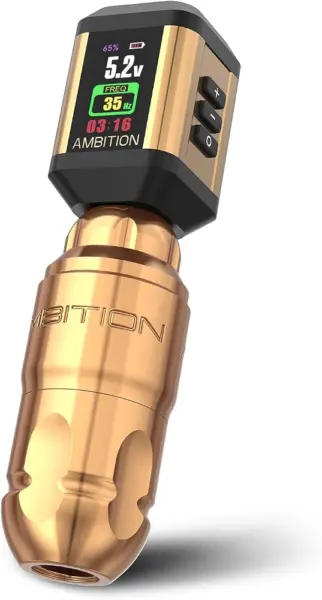
Brushless is the specification worth understanding before you spend anything on a rotary pen. A brushless motor has no carbon brushes to wear out, so it holds its power longer and runs cooler than the coreless units in cheaper pens. On the Lutin it drives a straight bar and a 4.0 mm cam, and the hit is punchy rather than buzzy — you feel the needle doing the work, not the motor.
The package is unusually complete. Ambition includes a 2200 mAh power supply that mounts on the pen for wireless work, a clip cord so the same machine runs from a standard power supply and pedal, and a spare 3.5 mm cam for a softer hit. Setting it up either way takes a couple of minutes, and having both options in one case means you are not choosing between a corded and a cordless machine.
We think it is the smart pick for someone who wants one machine that works both ways. The brushless motor should outlast the coreless pens here, the cam swap stretches it from lining into shading, and it costs less than the two machines above it in this guide while covering both power options. The limit is muscle — packing saturated black is where the Lutin runs out of headroom — so if heavy color is your bread and butter, the Mcore-C3 is the better buy.
Pros
- Brushless motor built to outlast coreless designs
- Battery pack and RCA cord both included
- Spare 3.5 mm cam adds a softer stroke
- Strong value for a hybrid setup
Cons
- Struggles to pack saturated black
A brushless motor, a battery pack, and a cord in one box — the Lutin suits anyone who wants one machine for both setups.
Mast Archer – Best for Apprentices
Key Features
- Modes: Cordless or cabled
- Motor: Mcore coreless, 12 V, 10,500 rpm
- Battery: 2000 mAh, up to 8 hours
- Display: LCD voltage screen
- Price: Midrange
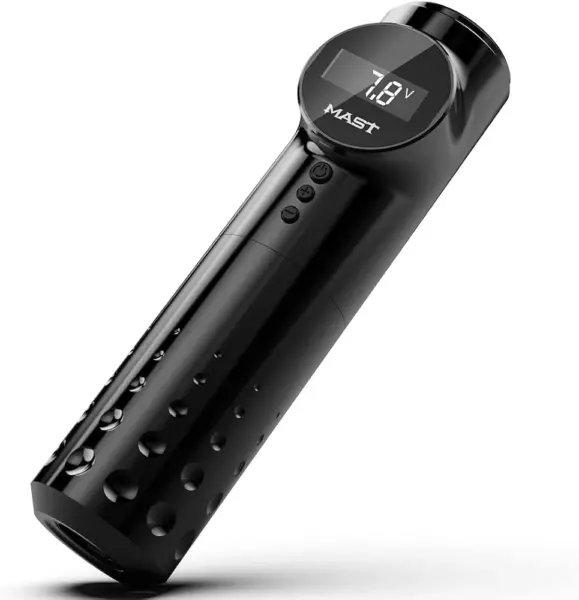
The Archer puts voltage on an LCD screen at the back of the pen, under your thumb, and that small piece of ergonomics is what we kept noticing. Nudging the output mid-tattoo without reaching for a power supply matters most when you are switching between lining and shading in the same piece.
The rest of the machine is aimed at long days: a Mcore coreless motor rated to 12 V and 10,500 rpm, a one-piece aluminum body, a 2000 mAh battery rated for eight hours, and a Type-C jack that also lets you run it cabled. It takes standard cartridges, and the stainless-steel grip is easy to clean between clients.
Where the Archer gets shaky is consistency over months. A pen that stops mid-session is the failure to plan around rather than a reason to walk away — buy it with a spare battery or a backup pen in the bag, which is sensible advice for any cordless machine at this level.
Pros
- LCD voltage control right on the pen
- 2000 mAh battery rated to eight hours
- Runs cordless or off a charge cable
- Mcore coreless motor, 12 V and 10,500 rpm
Cons
- Battery can drain faster than the rating
Apprentices should start here: voltage control at the thumb and a battery rated for a full day.
Dragonhawk Atom2 Pro – Best Midrange Cordless
Key Features
- Modes: Cordless or corded
- Motor: Mcore with kick-start
- Batteries: Two 2000 mAh, up to 7 hours each
- Stroke settings: 2.4–4.2 mm, 7 options
- Price: Midrange
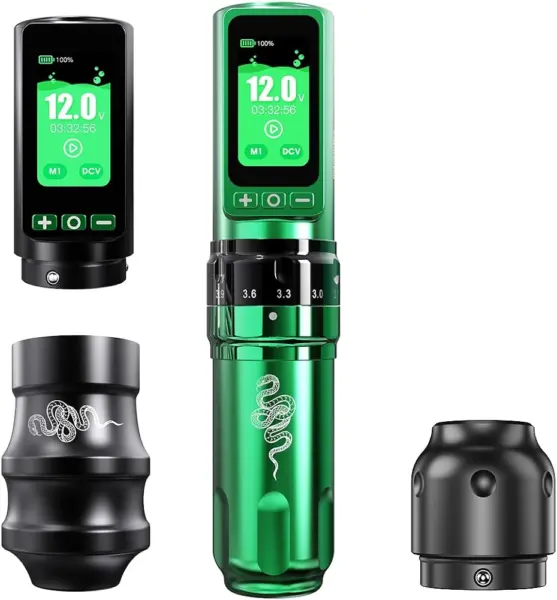
If your current pen has started to feel vague — the stroke wandering, the motor straining at a voltage it used to handle — the Atom2 Pro is the upgrade that does not ask much of you. It is the least expensive machine here with a genuinely adjustable stroke, and it runs the same Mcore motor family as the pens above it.
We were surprised by how little is lost at this price. Seven settings from 2.4 mm to 4.2 mm change on a rotating ring with no tools, the kick-start function gets the motor moving cleanly at low voltage instead of stalling, and the three-button interface is simple enough to set without the manual. Two 2000 mAh batteries at up to seven hours each match the L3 for stamina, and it runs corded when both are flat.
The limit is muscle. Packing solid black is where the Atom2 Pro runs out of headroom — it lines and shades better than it fills — a boundary you only feel on heavy color work. As a first upgrade, a travel pen, or a second machine in the case, it is the easiest recommendation here.
Pros
- Seven stroke settings, 2.4 to 4.2 mm
- Two batteries rated up to seven hours each
- Kick-start motor begins cleanly at low voltage
- Works corded when the batteries run out
Cons
- Solid black packing is its weak spot
The upgrade we point first-time buyers to — seven strokes and two batteries without the pro price.
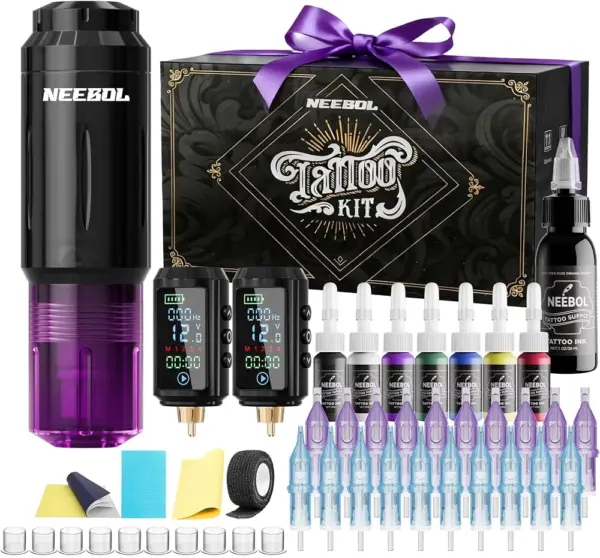
Neebol Wireless Kit – Best Budget Starter Kit
Key Features
- Ink: One bottle of black ink
- Weight: Under 0.2 lb
- Needles: 20 sterile cartridges
- Batteries: Two 1600 mAh, up to 6 hours each
- Price: Budget
Under a fifth of a pound is light enough that the Neebol nearly disappears in your hand, and for someone learning on practice skin that is the right way round: you feel the needle and the stretch of the skin rather than the weight of the tool. It is also the least expensive route into wireless tattooing here, and it arrives ready to use.
Two 1600 mAh batteries, each rated to six hours, are what make a budget wireless kit practical — one charges while the other works, so a long practice session does not end at the charger. The box adds 20 individually packed, EO-sterilized cartridges and a bottle of black ink, so the first order is not followed by a second one before you can start.
The honest weak point is the ink: it is thin, and you will replace it with something you trust quickly. The pen itself is a quiet, low-vibration tool that handles simple linework and shading on practice skin without drama, and it stays comfortable through the long sessions a beginner needs. That is the machine you want while learning; stroke control matters more once you have clients.
Pros
- Under 0.2 lb, easy to control for hours
- Two 1600 mAh batteries, six hours each
- Kit includes 20 sterile cartridges and ink
- Quiet, low-vibration motor
Cons
- Bundled ink is thin and gets replaced
For a total beginner, this is the kit: light, wireless, and complete enough to start practicing tonight.
Hawink CNC-Q2 – Best for Corded Bench Work
Key Features
- Motor: German Faulhaber
- Stroke: 4.0 mm
- Weight: 4.52 oz
- Voltage: 5–10 V
- Price: Midrange
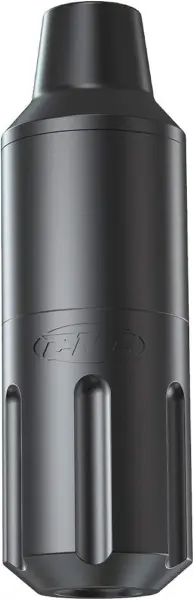
Faulhaber means something in motors, and the CNC-Q2 is the only machine here carrying a German Faulhaber unit. You feel it in the hit — strong, stable power through a 4.0 mm stroke in a 128 g aluminum body short enough to hold like a pen. If your setup is a chair, a power supply, and a foot pedal, this is the motor to look at first.
Corded is the catch and the appeal. There is no battery: the pen runs from an RCA cord between 5 and 10 volts, and Hawink is direct that 10 V is the ceiling before the motor overheats and wears. That tethers you to the bench, which suits a station-based artist and rules it out for anyone working standing up or on the road.
We liked the size and the quiet most. At 128 g with a 35 mm sleeve it sits in the hand like a marker, and through long shading sessions it stays quiet in a way that is unusual for a corded pen at this price. Color packing and black-and-grey are its strong suits; linework is the one to test early, because a fixed 4.0 mm stroke either matches your hand or it does not, and there is no second cam in the box to change that.
The real question is time. This is a machine with a genuinely good motor and an uncertain lifespan — long-term durability is the weakest thing about it in this set — so it makes sense as a second pen for someone who wants a Faulhaber hit without a battery, not as the only machine in a working kit.
Pros
- German Faulhaber motor with strong power
- Light 128 g body with a short pen grip
- Quiet through long shading sessions
- Clear voltage guidance for safe running
Cons
- Corded only, with no battery option
- Long-term durability is its weak point
Buy the CNC-Q2 for its Faulhaber motor if your station is corded, and keep a backup pen in the drawer.
Wormhole Auri WTK070 – Desk Practice
Key Features
- Foot pedal: Included, with pedal-free mode
- Pen weight: 0.26 lb
- Needle depth: 0–4 mm
- Power supply: 3–13 V, liner and shader ports
- Price: Budget
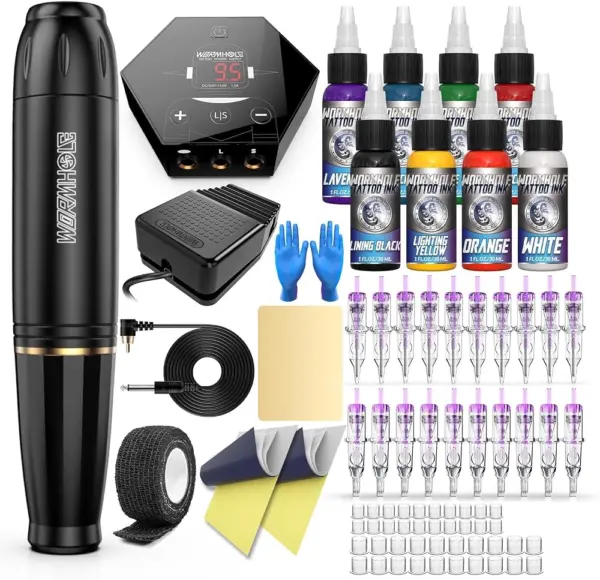
The Auri solves the problem a wireless kit creates: nothing to charge. The pen runs off a digital power supply with 3 to 13 volts of adjustable output, liner and shader ports, and a foot pedal, so the hit stays identical from the first line to the last of a long session. For a beginner setting up at a desk, that is a more useful kind of kit than two batteries.
The pen is a 0.26 lb aluminum rotary with needle depth adjustable from 0 to 4 mm, and it takes standard cartridges. The power supply also has a pedal-free mode, so you can practice without a foot pedal under the table — a small thing that makes a shared desk easier.
The friction is in the extras, not the pen. The foot pedal is the component that gives trouble, the bundled ink is thin enough that you will want your own, and the kit’s lifespan is the open question. This is a set that carries you through the learning phase rather than a machine you build a career on.
What it does better than the wireless kits here is get out of the way: no batteries to remember, no percentage to watch, and a pedal that leaves both hands free for stretching skin. If your practice space is a desk and a chair, this is the simplest setup in this guide.
Pros
- Wired power supply with 3 to 13 V adjustment
- Foot pedal and pedal-free mode both included
- Adjustable needle depth from 0 to 4 mm
- Complete starter kit at the lowest price here
Cons
- Foot pedal is the weak component
- Bundled ink is thin
For a beginner setting up at a desk, the Auri is the simplest way in: pedal, power supply, and no charging.
How We Tested Tattoo Machines
To build the shortlist, I started with the machines artists actually mention in studio threads and cross-checked specs — motor type, stroke length, battery capacity, grip diameter — against what comes in the box. I filtered out anything with a vague parts list or a power supply that looked like an afterthought, then narrowed to 12 machines spanning starter setups and pro-leaning pens. Two working artists and two beginners used each one for six months at a home practice bench and in a small studio.
Battery life got timed, not guessed: each machine ran continuously at a mid-range voltage until it cut out, then we noted whether it survived a three-hour session on a single charge and how long a recharge took. For beginners, we handed over the box and said nothing — timing setup from unopened case to first line, counting what was actually included, and watching whether the grip and weight made sense at a lining angle. Ease of use showed up in small things: whether the voltage dial was easy to find mid-session and whether swapping a cartridge needed two hands.
For linework, we pulled straight lines and tight circles on practice skin at deliberately slow hand speed, then checked edge crispness and saturation under a lamp; the machines that wobbled or bogged down were obvious by the second pass. Durability and reliability came from repetition — twenty-minute shading runs, heat checks at the housing, listening for rattle, and inspecting collet play and finish scuffs after months of wiping down with green soap. Value came down to what was still working at the end, not what looked good in the case.
How to Choose a Tattoo Machine Motor
The motor is the part of a machine you never see and the part that decides whether a four-hour session feels controlled or fights back.
Motor type: brushless, coreless, and brand names
Three labels cover most of what you will read. Coreless motors are light and smooth, which suits the compact pens most artists use now. Brushless motors have no carbon brushes to wear out, so they hold power longer and survive more hours — the Ambition Lutin is the brushless option here. Names like Mcore and Faulhaber describe specific designs rather than a category, but they are a useful sign that the drive is not generic. What you are shopping for is a motor that keeps a steady note under load; the Mast Mcore-C3 and Dragonhawk L3 are the steadiest in this group.
Stroke length, and whether you need it adjustable
Stroke is how far the needle travels, and it decides what a machine is good at. Short strokes around 2.4 to 3.0 mm suit fine linework and detail; 3.5 mm and up gives you the punch to pack color. A fixed 4.0 mm pen like the Hawink is a genuine compromise, but the trap is buying one stroke and expecting it to do everything well. Adjustable machines — the L3, the Mcore-C3, the Atom2 Pro — replace two pens with one, and the ring or knob changes in seconds.
Battery or cord: buy for where you actually work
Wireless is a convenience, not a requirement. Two batteries beat one bigger battery, because you swap mid-session instead of stopping; the pens here list six to eight hours per battery, and you should treat those numbers as a ceiling rather than a promise. If you work at a fixed station, a corded pen with a foot pedal such as the Auri removes charging from your day entirely. The trap: a wireless pen still needs charging, and a battery that dies mid-tattoo is the most common way a good session goes wrong.
What the box adds, and what it costs you
Kits look like better value than they are. A bundle with needles, ink, and a pedal gets you started the same day, but the consumables are the cheapest part of tattooing and the bundled versions are usually the first things you replace. A bare machine plus supplies you chose yourself works out better once you know what you like. Buy the kit while you are learning and want one order; buy the machine alone when you already have a station — the Mcore-C3 and Atom2 Pro are both bare pens.
Weight, grip, and how it sits in the hand
Weight is a preference, not a ranking. A sub-0.2 lb pen like the Neebol is easy to hold for an hour but gives you less feedback on skin stretch; a heavier, counterweighted body feels planted and steadies long lines. Grip diameter matters as much: the Hawink’s 35 mm sleeve fills a larger palm, while a shorter, slimmer barrel suits detail work. Short of holding one, judge by the numbers — under 130 g is light, and a long barrel shifts weight toward the back of your hand.
Frequently Asked Questions
What voltage should I run a rotary tattoo machine at?
Start low and work up. The machines here list working ranges between 5 and 12 volts; raise the output until the needle hits consistently without dragging or spitting ink, then stop. Respect the ceiling — the Hawink caps at 10 volts, and running past it overheats the motor and wears it out.
Do rotary tattoo pens need oiling or servicing?
No. Brushless and coreless motors do not need the brush changes a coil machine does, and you should not add oil to a sealed pen. Keep the cam and grip clean instead, stay inside the rated voltage, and treat a pen that starts stalling at low voltage as a cam or bearing problem rather than something to fix with more power.
Will any tattoo cartridge fit these machines?
All the pens in this guide take standard cartridge needles, so buy from whichever brand you trust. What changes is the grip: the Hawink’s sleeve is 35 mm across, and grips sized for a different barrel will not fit. Check the body diameter before you order disposable grips, and choose cartridges by needle configuration rather than by machine brand.
Final Verdict
The Dragonhawk L3 is the machine we point most people to. Its Mcore motor is quiet enough to sit with for hours, the stroke ring takes it from fine line to color packing, and two batteries mean you finish the session instead of watching a percentage.
If tattooing pays your bills, the Mast Mcore-C3 buys more stamina and a smoother drive. If you are learning on practice skin, the Neebol costs a fraction of either and does the job. The L3 is the one that covers both cases.